Cloud DMA · 9 min read · 2026-09-30
How Escape from Tarkov Cloud DMA Works With Security Checks
Learn how Escape from Tarkov cloud DMA combines local memory-access hardware with remote processing, plus the latency, compatibility, and detection limits that matter.
What Escape from Tarkov cloud DMA changes
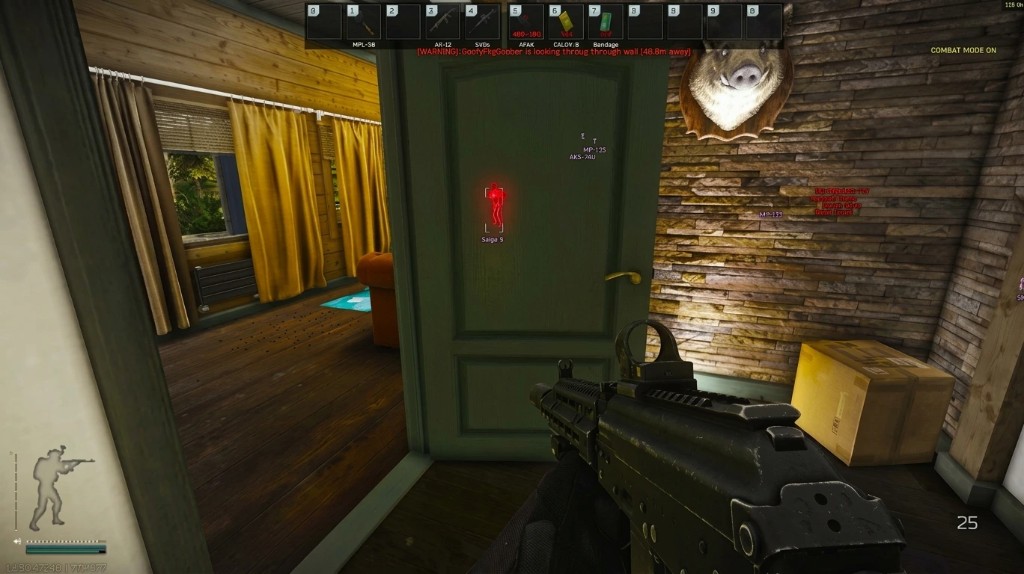
Escape from Tarkov DMA can use cloud processing to replace the second computer found in a traditional DMA setup. A local PCIe device still reads selected memory, but a remote service handles parsing and sends the resulting ESP or radar data to a supported display.
The word cloud describes where the processing happens. It does not mean the remote server can directly read a gaming PC without a local hardware or network path.
This split can reduce local processing and equipment, but it does not make the setup invisible. Escape from Tarkov security can still use client and server signals, hardware validation, input analysis, reports, and behavior over time.
How the cloud DMA data path works
The gaming PC runs Escape from Tarkov while a DMA device communicates across the PCIe bus. Selected data moves through the provider connection to remote servers, where it is interpreted before display information returns to the user.
The full path depends on the product. Results may appear on a phone, tablet, browser, separate monitor, or supported overlay device, so the required local client and display method must be stated clearly.
Local board and firmware
The local board remains the physical memory-access bridge. Its firmware controls device identity and communication, so motherboard, BIOS, Windows, and firmware compatibility still matter.
Cloud processing does not remove IOMMU, Secure Boot, PCIe, or device-validation concerns on the gaming computer. A firmware label is version-specific and can change after system or game updates.
Remote processing and display
The cloud service takes over work that a second PC would normally perform. It parses incoming data and produces the visual or radar output for the supported display path.
This makes server availability and account access part of the setup. If the service, route, or local connection fails, the cloud output can stop even when the DMA board is still connected.
Latency and connection quality matter
Cloud DMA adds a network round trip between local memory reads and the displayed result. Distance to the server, routing, packet loss, Wi-Fi quality, and service load can all affect how current a marker appears.
Low average latency is only one measure. Jitter creates uneven updates, while packet loss can produce missing or stale positions even when the average response time looks acceptable.
A wired connection and a nearby service region can improve consistency, but no provider can promise the same latency for every location or internet route.
Update rate versus network delay
A fast local read rate does not guarantee a fast display update. The complete path includes capture, upload, server processing, return traffic, and display refresh.
Ask for measured end-to-end delay and supported regions rather than a single unexplained latency number.
Service availability
Traditional DMA can continue processing locally if the internet path to a vendor is unavailable. Cloud DMA depends on the remote service, authentication, and network route remaining available.
Status reporting should separate a Escape from Tarkov update from a cloud outage, regional routing issue, or account problem.
Why cloud DMA is not a detection guarantee
Cloud processing changes where parsing occurs, but the local DMA device and its firmware still exist. IOMMU controls, device identity, PCIe behavior, Windows security, and hardware validation can still affect compatibility.
The tarkov anti-cheat layer can also use server data, input patterns, reports, and match behavior. Those checks do not depend on finding a traditional local overlay process.
“Cloud connected,” “working,” and “not currently flagged” are different claims. Each one can change after a Escape from Tarkov, Windows, BIOS, firmware, network, or security update.
Compare cloud DMA with traditional DMA
Traditional DMA normally uses a second PC for local processing. Cloud DMA can remove that second computer, but it adds dependence on provider servers, account access, regional routing, and internet quality.
Confirm whether the package includes the DMA board, firmware, cloud access, display client, updates, supported regions, and setup support. Also ask how data is handled and what happens when the remote service is unavailable.
For current commercial options, review the product page. The main Escape from Tarkov guide covers the wider feature workflow, while the HWID guide explains why identifier changes are a separate system.
Ready for Tarkov Hacks?
Check live cheat status, then buy ESP, aimbot, and 2D radar for Escape from Tarkovon tarkovhack.com. Need help? Read support or player reviews. Own the game via the official site.
Community replies
Discussion prompts based on common player questions.
CloudRoute
Network admin · Sep 30, 2026
The end-to-end latency point matters. A fast board does not help if the route to the processing region has unstable jitter.
SingleRig
Sep 30, 2026
Removing the second PC is the main benefit for my desk. I still want the required local board and display method listed clearly before buying.
RegionPing
Sep 30, 2026
Does the service show which cloud region is active? Average ping can look fine while a distant route causes uneven marker updates.
FirmwareNote
Sep 30, 2026
Cloud processing does not remove the local firmware requirement. The board, motherboard, BIOS, and current Windows build still need to match.
OutageCheck
Sep 30, 2026
A separate cloud status label would help. It should be easy to tell a game update from a provider outage or regional routing problem.
What players ask after they read this
What does DMA mean in Escape from Tarkov?
DMA means direct memory access. In a cloud DMA setup, local hardware reads selected memory while remote servers handle processing that a second PC would traditionally perform.
Does Escape from Tarkov cloud DMA work without local hardware?
Not in the common PCIe cloud DMA architecture described here. The cloud replaces the second processing PC, while a local DMA device still provides the memory-access path. Product requirements should state any different design clearly.
What happens if the cloud connection drops?
Remote processing and display updates can stop even if the local board remains connected. Recovery depends on the provider service, account session, network route, and supported client.
Is cloud DMA faster than traditional DMA?
Not automatically. It can remove second-PC processing from the user’s desk, but it adds network and server delay. Compare measured end-to-end latency, jitter, region availability, and display refresh behavior.
Does cloud DMA guarantee detection safety?
No. The local board, firmware, hardware behavior, IOMMU controls, server analysis, input patterns, and reports still matter. Compatibility and detection status can change after any relevant update.