Setup · 8 min read · 2026-09-30
Discover What an HWID Spoofer Does for Safety
A plain-language guide to hardware identifiers, temporary spoofing, compatibility, and reset behavior on Windows PC.
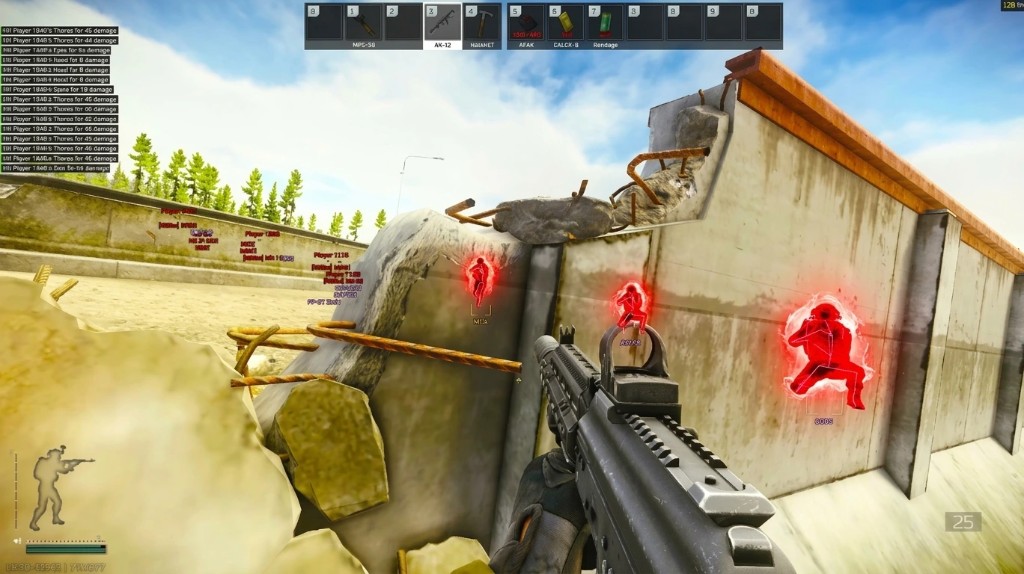
What an HWID spoofer changes
An HWID spoofer changes or masks selected identifier values that software can use to recognize parts of a Windows PC. It does not physically replace the motherboard, storage drive, network adapter, or other hardware.
The name HWID is broad. Microsoft uses hardware IDs to match devices with driver packages, while a device instance ID identifies one device node and can remain persistent across restarts. Other software may build a machine fingerprint from several values instead of relying on one universal ID.
That distinction matters because a tool may change one identifier group but leave others untouched. A claim that it “changes your HWID” is incomplete unless it lists the values and Windows versions it supports.
Temporary and persistent changes are different
A temporary spoofer presents replacement values for a session and normally returns to the original state after a reboot or after its driver stops. This approach is easier to reverse, but the exact reset behavior depends on the product.
Persistent changes write values or configuration that survive a restart. They carry more recovery risk because an incorrect change can affect drivers, network access, device recognition, or software licensing.
Do not assume one reset method applies to every tool. The product documentation should state which values change, whether the change survives reboot, and how the original state is restored.
What safety means in this context
Safety starts with knowing the scope of the change and having a clear recovery path. A tool should identify supported Windows builds, administrator or driver requirements, restart behavior, and any conflicts with virtualization or motherboard security options.
Record the original configuration and keep normal Windows recovery options available before using a system-level driver. Avoid mixing several identifier tools because it becomes difficult to tell which one changed a device or caused a conflict.
A clean launch does not prove every identifier returned correctly. Check normal device, network, and Windows behavior after the original state is restored.
How spoofing relates to Escape from Tarkov security
An identifier change does not disable or replace the tarkov anti-cheat. The DMA security guide explains why client checks, server analysis, input patterns, reports, and hardware validation can still matter after an update.
It also does not modify ESP, radar, aimbot, recoil, or spread settings. Those are feature controls, while spoofing deals with selected machine identifiers.
Treat every compatibility label as current status rather than a permanent safety promise. For the current public feature list and license options, review the product page after checking the live product status.
HWID spoofing is not DMA
An HWID spoofer changes or masks identifiers. Escape from Tarkov cloud DMA combines a local hardware memory path with remote processing and display work.
The two systems solve different technical problems and should not be grouped into one feature claim. A DMA board can still expose hardware characteristics, while an identifier tool does not create a DMA data path.
Before choosing either approach, compare the required hardware, Windows support, reset process, update policy, and support channel. Clear version details are more useful than a broad claim that a setup is always safe.
Ready for Tarkov Hacks?
Check live cheat status, then buy ESP, aimbot, and 2D radar for Escape from Tarkovon tarkovhack.com. Need help? Read support or player reviews. Own the game via the official site.
Community replies
Discussion prompts based on common player questions.
DeviceTree
PC technician · Sep 30, 2026
The hardware ID versus device instance ID distinction is useful. Windows exposes several device strings, so one changed value does not mean the full machine fingerprint changed.
BoardSwap
Sep 30, 2026
I moved to a new motherboard last month and learned to check whether a change is temporary before assuming the reset failed.
RestorePoint
Sep 30, 2026
The recovery-path section should be standard in every setup guide. If a tool changes a network or storage value, users need to know how the original state returns.
StatusFirst
Sep 30, 2026
Good clarification that spoofing does not replace cheat status. I still check the current build before changing anything at the system level.
BusAndBoard
Sep 30, 2026
Can the store documentation list exactly which identifiers are temporary? “HWID” alone is too broad when Windows has several ID types.
What players ask after they read this
Does an HWID spoofer permanently change my PC?
Not always. Temporary tools normally restore original values after a reboot or when their driver stops, while persistent tools can survive restarts. Check the documented reset method before use.
Is there one universal Windows HWID?
No. Windows exposes hardware IDs, compatible IDs, device instance IDs, and other properties for different purposes. Software can also combine several values into its own machine fingerprint.
Does spoofing replace Escape from Tarkov compatibility checks?
No. Identifier changes do not remove client, server, behavior, report, or hardware checks. Current BattlEye and product status still matter after every update.
Is an HWID spoofer the same as DMA?
No. A spoofer changes selected identifier values, while DMA describes hardware access to memory through a system bus. They have different requirements and compatibility limits.
What should an HWID guide explain before use?
It should list supported Windows versions, identifiers changed, restart behavior, driver requirements, conflicts, and the recovery process. If those details are missing, the term HWID is too vague to evaluate safely.